Review Widgets On Website
How to Use Review Widgets to Show Customer Feedback on Your Website
Customer reviews are most powerful when potential buyers can see them at the right moment. A five-star rating buried on a third-party platform does far less work than the same review displayed directly on your homepage, your product page, or your checkout screen.
Review widgets allow businesses to display customer feedback directly on their website, helping visitors build trust before making a decision. Instead of asking visitors to go search for your reviews elsewhere, you bring the proof to them at exactly the point where they need it most.
By embedding reviews on landing pages, product pages, and service pages, businesses can increase credibility and improve conversions. This guide covers what review widgets are, where to place them, how to choose which reviews to show, and how to avoid the mistakes that reduce their impact.
What Are Review Widgets?
Review widgets are website elements that display customer reviews, ratings, or testimonials directly on a webpage. They are typically embedded using a short code snippet and pull review content automatically from connected sources.
Widgets can pull reviews from platforms like Google, Facebook, Yelp, Trustpilot, and industry-specific directories, then display them on your site without requiring manual updates. When a new review comes in, the widget refreshes automatically, keeping the content fresh.
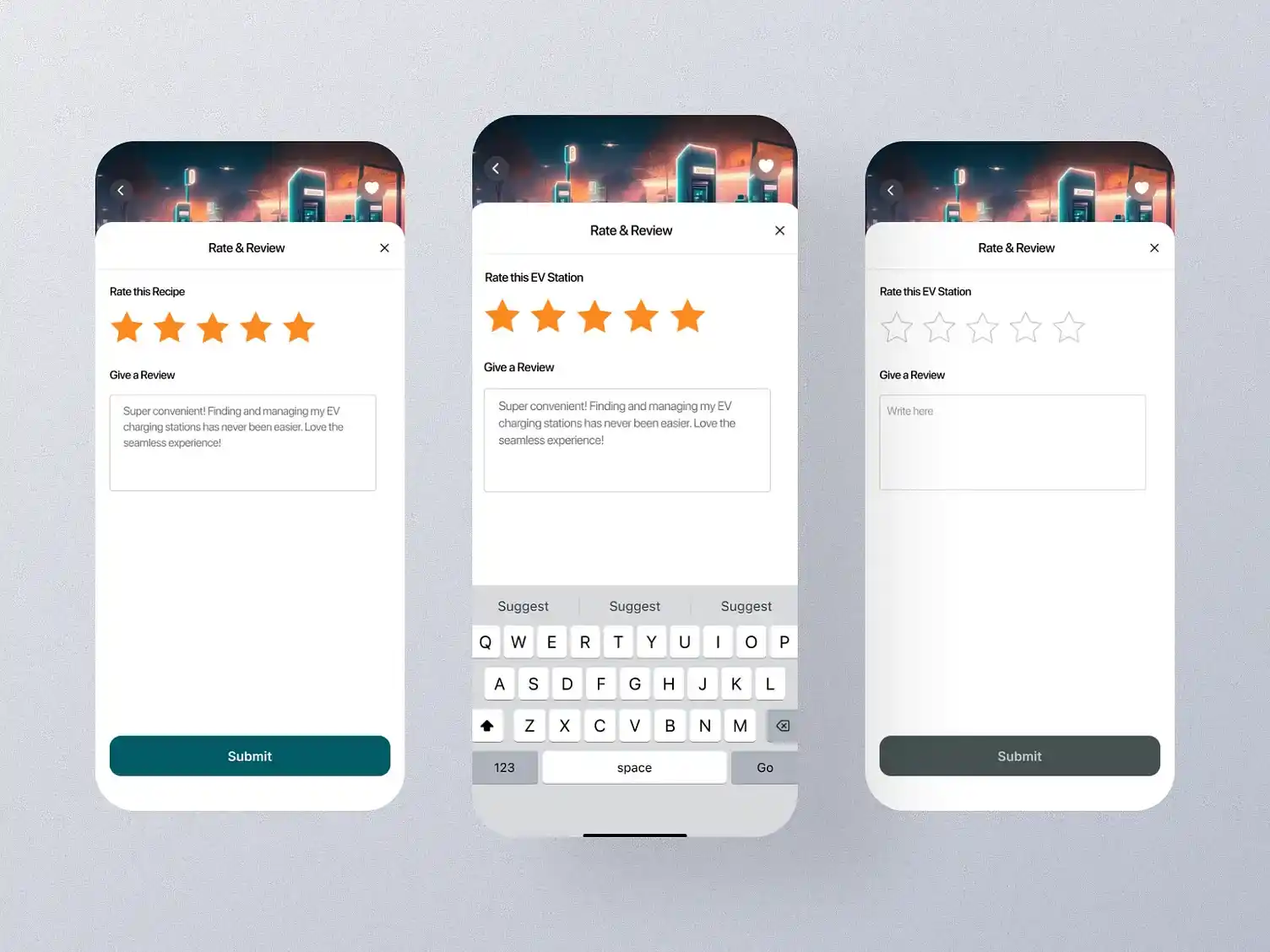
Review widgets can appear in several formats depending on the page layout and goal. Sliders rotate through multiple reviews automatically. Badges display an average star rating near a call to action. Review feeds show a live stream of recent feedback. Pop-ups surface testimonials at key moments, and embedded testimonial sections anchor a specific page area with curated reviews. Each format serves a different purpose, which is why placement and format decisions matter as much as the content itself.
Why Displaying Reviews on Your Website Matters
Most visitors decide within seconds whether to stay or leave. What they see in that window determines whether your reviews get a chance to do any work at all. Here is why keeping that social proof on-site is worth the effort.
Builds Trust Instantly
Website visitors can see proof from real customers without leaving your site to find it. A visitor who lands on your homepage and immediately sees verified reviews starts forming a positive opinion within seconds, before they have read a single line of your own copy.
Reduces Purchase Hesitation
Reviews answer the doubts a visitor has before they are willing to take action. Questions about quality, reliability, and value are all addressed through the experiences of people who have already made the same decision. A well-placed customer review widget does the work of a sales conversation passively.
Improves Conversion Rates
Social proof encourages visitors to take the next step. According to BrightLocal's Local Consumer Review Survey 2026, 41% of consumers now "always" read reviews when browsing for businesses, up from 29% in 2025. When those reviews are visible on your site at the moment of decision, you remove the friction of the visitor going to find them elsewhere.
Keeps Visitors on Your Website
Without an online review widget on your site, visitors who want to check your online reputation have to leave to find it. Many do not return. Displaying reviews directly on-site keeps visitors engaged with your conversion flow rather than sending them to a competitor's listing on Google or Yelp.
Types of Review Widgets
Different formats serve different purposes. Choosing the right one depends on your page layout and where the visitor is in their decision.
Google Review Widgets
A Google review widget pulls your Google Business Profile reviews and displays them directly on your website. Because Google is the most trusted and widely used review platform, displaying Google reviews on your site carries significant credibility. It also keeps visitors who would otherwise click over to your Google listing right where you want them.
Testimonial Sliders
Testimonial sliders rotate through customer testimonials automatically or on user interaction. They work well on homepages and landing pages where space is limited but the impact of a rotating series of positive voices is stronger than a single static quote. The format draws attention without overwhelming the page layout.
Star Rating Badges
Star rating badges display your average rating and total review count in a compact format. Placed near a call to action, a badge showing "4.9 stars from 312 reviews" creates immediate reassurance at the exact moment a visitor is deciding whether to act. Small in size, significant in effect.
Review Feed Widgets
A review feed widget displays a live stream of recent customer reviews in chronological order. The real-time nature signals an active, trusted business. This format works well on dedicated testimonials pages or sidebar placements where ongoing proof of engagement is the goal.
Product Review Widgets
Product review widgets show reviews specific to an individual product or service rather than reviews of the business overall. Placed on product or service pages, they match the social proof to the exact thing the visitor is evaluating. Relevance increases their persuasive impact significantly.

Where to Place Review Widgets on Your Website
Placement determines how much work a review actually does. The same testimonial can drive a conversion or go completely unnoticed depending on where it sits.
Homepage
The homepage is where most new visitors form their first impression. A testimonial slider or star rating badge near the top of the page establishes credibility within the first few seconds, before the visitor has explored any deeper into your site.
Product or Service Pages
Place relevant reviews near decision points on product or service pages. A visitor evaluating a specific service wants to read experiences from customers who used that service, not generic praise for the company overall.
Landing Pages
Landing pages exist to convert. Testimonials placed on landing pages directly support campaign conversion goals by addressing the objections of the specific audience the campaign targets. A well-chosen review that mirrors the visitor's situation can be the final push they need.
Checkout or Booking Pages
The moment before a visitor completes a purchase or booking is high in both intent and anxiety. Adding reviews near final conversion steps reduces hesitation by showing that other customers completed the same action and had a positive experience.
About Page
An About page is where visitors go to evaluate whether they trust the people behind the business. Displaying customer reviews alongside your brand story adds a layer of third-party credibility that self-written copy cannot provide.
How to Choose Which Reviews to Show
Not every review earns a spot on your website. Relevance, recency, and specificity matter more than star rating alone.
Choose Relevant Reviews
Match reviews to the page topic, product, or service. A review praising your customer support belongs on a contact or service page. A review praising a specific product belongs on that product's page, not a generic testimonials section.
Highlight Detailed Feedback
Specific reviews are more persuasive than generic praise. A review that says "the onboarding process was smooth and the team responded within an hour every time I had a question" does more than "great service." When choosing which reviews to display, prioritize specificity over star rating alone.
Use Recent Reviews
According to BrightLocal's Local Consumer Review Survey 2026, 74% of consumers only trust reviews written in the last three months. Displaying a review from two years ago as a centerpiece testimonial signals that your most recent customers may not be as satisfied. Rotate in fresh reviews regularly and retire content that has aged out of relevance.
Include a Mix of Use Cases
Show reviews that address different customer needs or objections. One review might speak to value, another to delivery speed, another to customer service. A varied selection covers more of the doubts that different visitors arrive with.
Avoid Overloading the Page
Display enough reviews to build trust without overwhelming the visitor. Three to five well-chosen reviews on most pages is sufficient. A page full of 40 reviews creates visual noise that pushes actual content down and can slow page load times.
Your best reviews are already out there. The question is whether your website visitors can see them. Reviewshake helps businesses collect, manage, and display reviews with customizable widgets, star rating badges, and automated social proof tools from one dashboard. Start your free 14-day trial and put your reviews to work on your website today.
Design and Placement Best Practices
A poorly designed widget can hurt trust more than help it. These are the decisions that determine whether your reviews get read or ignored.
Keep Widgets Visually Clean
The widget should support the website design rather than compete with it. Avoid widgets that use conflicting colors, large decorative borders, or heavy branding that clashes with your existing layout. A widget that looks native to the page feels more credible than one that looks bolted on.
Make Reviews Easy to Read
Use clear formatting, readable text sizes, and concise layouts. Keep displayed text at a comfortable reading size, and use visual hierarchy to distinguish the reviewer name, rating, and review content clearly. A review that requires effort to read will be skipped.

Place Reviews Near Calls to Action
Reviews are most effective when shown close to conversion points. A testimonial placed two screen-lengths below your signup button does less work than one placed directly beside it. Map your widget placements against your page's primary calls to action.
Optimize for Mobile
Review widgets must display properly on smaller screens. A three-column grid layout that looks sharp on desktop can become unreadable on mobile if the widget is not responsive. Prioritize formats like sliders and badges that adapt cleanly to narrow viewports.
Maintain Page Speed
Some widgets load slowly because they pull external data without performance optimization. Look for widgets that use lazy loading, meaning they load only when the visitor scrolls to them, to minimize the impact on overall page speed and search rankings.
How Review Widgets Help Build Trust and Conversions
Embedded reviews do more than decorate a page. When placed correctly, they actively change how visitors evaluate your business.
Shows Real Customer Experiences
Visitors can evaluate feedback from actual customers rather than relying on the business's own claims. That third-party voice shifts the credibility of the message from "we say we are good" to "our customers say we are good," which carries significantly more weight with a skeptical audience.
Reinforces Brand Credibility
Positive reviews support the claims a business makes in its own marketing copy. When a headline says "fast, reliable service" and a verified customer review below it says the same thing in their own words, the claim becomes evidence rather than assertion.
Supports Decision-Making
Reviews help answer objections before a visitor contacts or makes a purchase. A well-selected customer review widget that addresses the most common doubts removes the final barriers to conversion without requiring any additional interaction from your team.
Improves Engagement
Interactive widgets encourage users to explore more customer feedback. A testimonial slider that lets a visitor click through multiple reviews keeps them on the page longer and exposes them to a wider range of positive experiences, extending the time your business has to make an impression before they decide.
Common Mistakes to Avoid
These are easy to make and easy to fix. Each one quietly reduces how much trust your reviews build with new visitors.
Displaying Too Many Reviews
Too much content clutters the page and dilutes the impact of individual reviews. A carefully chosen set of three to five strong reviews outperforms a wall of twenty generic ones. Prioritize quality and relevance over volume.
Showing Irrelevant Reviews
Reviews must match the page context. A glowing review of your enterprise product placed on a page targeting small business owners creates a disconnect that visitors notice. Always match review content to the audience and purpose of the specific page.
Ignoring Mobile Experience
Poor mobile formatting hurts both trust and usability. A widget that breaks on smaller screens or displays text at a size that requires zooming sends a signal of carelessness. Test every widget placement on mobile before publishing.
Using Outdated Reviews
Old reviews suggest the business may no longer operate at the same level. A visitor who notices that the most recent review on your site is from 18 months ago will question whether current customers feel the same way. Connect widgets to live data sources that update automatically to keep content fresh.
Hiding Reviews Below the Fold
Important social proof should be visible near key decision points, not buried at the bottom of a long page. If a visitor has to scroll past three sections of marketing copy before reaching your testimonials, most will not get there. Bring the proof up to where the decision is being made.
How Reviewshake Helps Businesses Display and Manage Reviews
Keeping review content fresh across multiple platforms takes time. Reviewshake makes the process more consistent and less manual.
Centralizes Review Collection
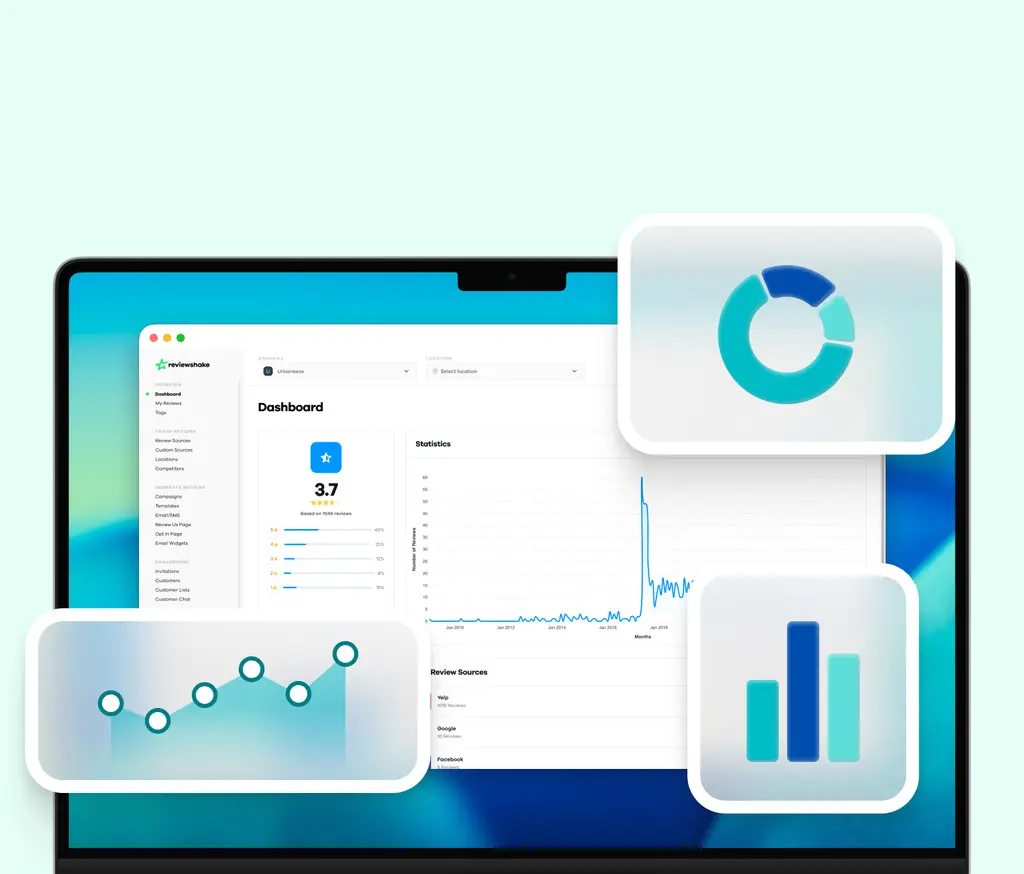
Reviewshake helps businesses collect and manage customer feedback from 100+ platforms in a single dashboard. Having all reviews in one place makes it straightforward to identify the strongest content to feature and keep widget content current without manual effort.
Supports Review Display Strategies
Businesses can use Reviewshake's customizable widgets, star rating badges, and social proof tools to embed reviews on website pages across campaigns and landing pages. Widget formats are responsive and designed to load without slowing page performance.
Helps Monitor Review Quality
Teams can track review trends, monitor rating changes over time, and select strong feedback to showcase. Sentiment analysis surfaces patterns in what customers praise most, making it easier to choose reviews that address the objections most common among new visitors.
Improves Review Generation Consistency
Automated review request workflows ensure that satisfied customers are invited to leave feedback after every interaction. More consistent review collection gives businesses a steady supply of fresh reviews to display, keeping widget content recent and within the recency window that consumers trust most.

Conclusion
Review widgets help businesses turn customer feedback into visible trust signals on their websites. The reviews your customers have already written are some of the most persuasive content your business has. Getting them in front of potential buyers at the right moment is what makes the difference between a visitor who leaves and one who converts.
By choosing the right reviews, placing widgets strategically near decision points, and keeping the design clean and mobile-ready, businesses can improve credibility and conversions without adding more content or running more campaigns.
A review management platform can help businesses collect, monitor, and use reviews more effectively. If your website is not already putting your customer feedback to work, the gap between you and competitors who are is growing every day. Start your free 14-day trial with Reviewshake and turn the reviews you already have into your strongest conversion tool.
Frequently Asked Questions
Q: What are review widgets?
Review widgets are embeddable website elements that display customer reviews, star ratings, or testimonials directly on a webpage. They connect to review platforms like Google or Facebook and update automatically when new reviews come in, so the content stays current without manual effort.
Q: How do I add reviews to my website?
Adding an online review widget to your website typically involves connecting a review management platform to your review sources, then copying a short embed code into your website's HTML or CMS. Most platforms generate the code automatically with no advanced technical knowledge required.
Q: Where should review widgets be placed?
Review widgets perform best near conversion points: on the homepage for first impressions, on product or service pages near the decision area, on landing pages to support campaign goals, and on checkout or booking pages to reduce last-minute hesitation. The closer the review is to the action you want visitors to take, the more impact it has.
Q: Can review widgets improve conversions?
Displaying reviews on your website removes the need for visitors to leave and search for social proof elsewhere, and it answers objections at the exact moment a visitor is deciding whether to act. Businesses that embed reviews on website pages consistently see higher inquiry and conversion rates than those that rely on off-site review profiles alone.
Q: What type of reviews should I display?
Display reviews that are specific, recent, and relevant to the page topic. Match the review content to the audience and purpose of each page, and rotate in fresh reviews regularly to keep the content within the last three months where possible.