Blog · Google reviews
Google Review Calculator: How Many 5-Star Reviews Do You Need to Reach 4.5?


When someone searches for a Google review calculator, they are usually asking one question: how many more 5-star reviews do I need before my rating moves? The answer is plain arithmetic, but the arithmetic has a few surprises. A business sitting at 3.9 stars often needs far more new reviews than the owner expects, and the last few tenths of a star are the most expensive of all.
This guide walks through how an average star rating is calculated, gives you a formula you can use on the back of an envelope, and shows worked examples. Then it covers the part most calculators skip: how to actually collect that many reviews without breaking Google's rules.
How Google works out your star rating
At its core, a star rating is an average. Add up the stars from every review, divide by the number of reviews, and you have your rating. A business with 40 reviews and a 3.9 average has collected 156 stars in total (40 multiplied by 3.9).
Google displays the result rounded to one decimal place, so a true average of 4.46 shows as 4.5 while 4.44 shows as 4.4. That rounding is why a single new review sometimes seems to do nothing: it moved the real average, just not far enough to cross a rounding boundary.
Two caveats. Google has said that businesses with very few reviews may see a displayed rating that does not match a simple average exactly. And only published reviews count, so a review that is filtered or removed for violating Google's review content policy disappears from both the total and the count. For any business with a meaningful number of reviews, the simple average is the right mental model.
The formula behind every star rating calculator
You do not need a spreadsheet. If every new review you collect is 5 stars, the number you need is:
5-star reviews needed = N × (T − A) ÷ (5 − T)
where N is your current review count, A is your current average and T is the rating you want.
Take the 3.9 example with 40 reviews and a target of 4.5. That gives 40 × 0.6 ÷ 0.5, which is 48 new 5-star reviews. Check it: 156 existing stars plus 240 new stars is 396 stars across 88 reviews, and 396 ÷ 88 is exactly 4.5.
Real life is messier, because not every new review will be 5 stars. If you expect your new reviews to average something lower, say 4.8, replace the 5 in the denominator with that number. The same business then needs 40 × 0.6 ÷ 0.3, which is 80 new reviews rather than 48. A small drop in the quality of incoming reviews almost doubles the work.
Worked examples: from 3.9 to 4.5 and beyond
The table below applies the formula to a range of starting points. Every row assumes the new reviews are all 5 stars.

| Current rating | Reviews today | Target | 5-star reviews needed | Reviews afterwards |
|---|---|---|---|---|
| 3.9 | 40 | 4.5 | 48 | 88 |
| 4.0 | 25 | 4.5 | 25 | 50 |
| 4.2 | 100 | 4.5 | 60 | 160 |
| 4.3 | 200 | 4.5 | 80 | 280 |
| 3.5 | 60 | 4.5 | 120 | 180 |
| 4.5 | 100 | 4.8 | 150 | 250 |
Two patterns jump out. First, the number of reviews you already have matters as much as your rating. A 4.0 business with 25 reviews needs 25 new ones, but a 4.0 business with 250 reviews needs 250. The bigger the pile, the more it takes to shift.
Second, look at the last row. Going from 4.5 to 4.8 with 100 reviews takes 150 new 5-star reviews, more than it took to go from 3.5 to 4.5 with 60. Which brings us to the hardest part of the math.
Why the last few tenths are the hardest
The denominator in the formula is 5 minus your target. As the target climbs toward 5, that denominator shrinks toward zero and the number of reviews you need balloons. A target of 4.5 divides by 0.5. A target of 4.8 divides by 0.2. A target of 4.9 divides by 0.1.
A perfect 5.0 is only possible if every single published review is 5 stars. One 4-star review from a happy but honest customer makes 5.0 unreachable, no matter how many 5-star reviews follow. That is worth remembering before you set a goal: 4.5 or above is realistic for most businesses, and it also happens to be one of the minimum-rating filters people can apply in Google Maps when narrowing down results.
The same math works in reverse, and this is where review volume protects you. One 1-star review lands on a 4.5-rated business with 20 reviews and drags it to 4.33, which Google displays as 4.3. The identical review landing on a 4.5-rated business with 200 reviews moves it to 4.48, still displayed as 4.5. Collecting reviews steadily is not just about climbing; it is insurance against the bad week that every business eventually has.
Use the free Google review calculator
If you would rather not do the division yourself, our free star-rating calculator does it for you. Enter your current rating, your current review count and the rating you want, and it tells you how many 5-star reviews it will take.
The same page includes two other free tools you will need for the next step: a Google review link and QR code generator, so customers can reach your review form in one tap, and a set of reply templates for responding to the reviews that arrive. None of them require an account.
Run the numbers for a few different targets. Knowing that 4.5 costs 48 reviews while 4.7 costs 107 helps you choose a goal your team can actually hit this quarter rather than one that quietly gets abandoned.
How to actually get that many reviews
A calculator tells you the size of the hill. Climbing it means asking customers in a consistent, repeatable way. Here is the approach that works for the businesses and agencies we see doing this well.
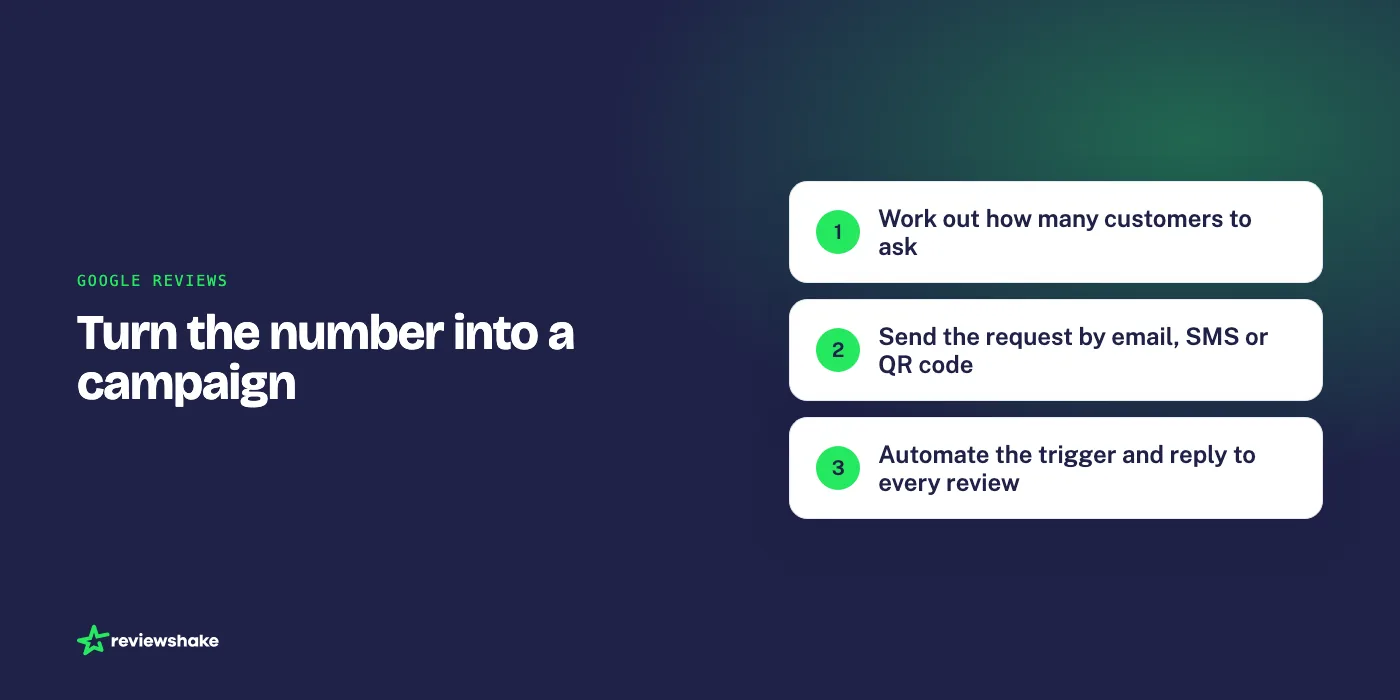
- Work backwards to the number of asks. Not everyone you ask will leave a review. Suppose, as an illustration, one in five does. Then 48 reviews means asking roughly 240 customers. Track your own ratio for a month and adjust the plan to the real figure.
- Ask every customer, not just the delighted ones. Google's policy prohibits selectively soliciting positive reviews or discouraging negative ones. Asking everyone keeps you compliant and, as the math above shows, a steady stream of honest reviews protects your rating anyway. Our guide on how to ask for a Google review covers wording and timing in detail.
- Ask soon after the service, by email or SMS. The request should go out while the experience is fresh and should contain a direct link to your Google review form. Google explains how to find and share your review link in its own help center.
- Put the ask in the physical world too. A QR code on the counter, the invoice or the table card captures customers who will never open the email. Point it at a review landing page that routes people to Google, Facebook or whichever site you care about most.
- Automate the trigger. The campaigns that reach 48 or 120 reviews are the ones nobody has to remember to run. Connect your booking system, point of sale or CRM so that a completed job or appointment sends the request automatically.
- Never buy or incentivize reviews. It violates Google's rules, the reviews can be removed in bulk, and the penalty can outlast any short-term gain. If you are tempted, read can you buy Google reviews first.
One more lever that the calculator does not show: reply to every review, especially the negative ones. A reply does not change the arithmetic, but it is visible to everyone who reads the review afterwards, and Google notifies the reviewer, which occasionally prompts an edit. See our negative review response examples for what a good reply looks like.
Frequently asked questions
How many 5-star reviews do I need to go from 4.0 to 4.5?
It depends entirely on how many reviews you already have. With a target of 4.5, the formula simplifies to your current review count multiplied by double the gap. From 4.0, that means you need as many new 5-star reviews as you currently have reviews in total: 25 if you have 25, 100 if you have 100.
Why didn't my rating change after a new 5-star review?
Because Google rounds to one decimal place. If you have 90 reviews at a true average of 4.42, a new 5-star review moves you to 4.43, which still displays as 4.4. Keep going; the next boundary is closer than it looks.
Is it better to remove a bad review or add good ones?
Removing one 1-star review from a 3.9 business with 40 reviews lifts the average to 3.97. Adding one 5-star review lifts it to 3.93. Removal moves the needle slightly more, but Google only removes reviews that break its policies, so it is not a strategy you can plan around. Flag genuine violations and spend the rest of your energy on collecting reviews.
Can I reach a 5.0 rating?
Only if every published review is 5 stars. A single 4-star review makes 5.0 mathematically impossible, however many 5-star reviews come after it. Aim for 4.5 and above instead, and treat volume as the real goal.
Does this calculator work for Facebook or other review sites?
The formula works for any site that displays a plain average of 1 to 5 star ratings. Facebook replaced star reviews with recommendations, so its score is not a simple average and the calculator will not map onto it exactly.
From calculator to campaign
The calculator gives you a number. Turning that number into reviews is a reputation management job, and it is the part most businesses struggle to sustain past the first enthusiastic week.
Reviewshake is reputation management software built for exactly this. Review requests go out by email and SMS through campaigns you set up once, with QR codes and a review landing page for in-person customers, and new customers flow in from a CSV, from Zapier's 1,000+ apps or from the API. As the reviews arrive from Google, Facebook and 100+ other sites, they land in one inbox, imported every 12 to 24 hours depending on the source, with email alerts for anything negative and AI-drafted replies you can post to Google and Facebook without leaving the screen. You can see how the review generation tools fit together, or start with the free calculator and work out your number first.
Plans start at $29 per month per location, with white-labeled agency plans from $199 per month. There is a 14-day free trial with no credit card and no contract, which is long enough to run your first campaign and watch the average start to move.
More reviews. Better replies. Recommended by Google and AI.
AI answer engines and Google decide who to recommend by reading reviews. Reviewshake collects yours from 100+ sites, drafts the replies, asks happy customers for the next one, and runs white-labelled for agencies. 14 days free, no credit card.
Start free trial