Google Review Removal: A Step-by-Step Guide for Businesses
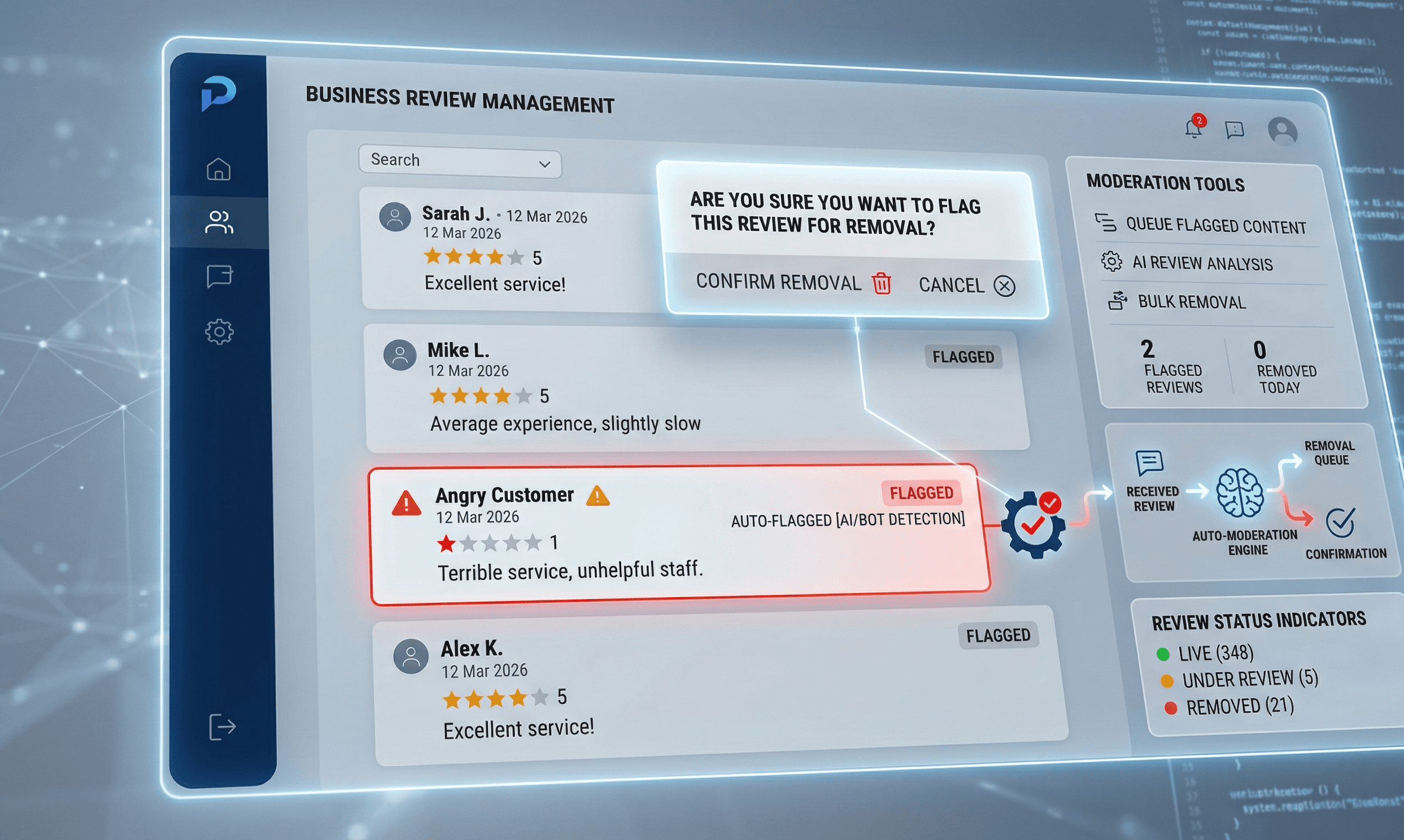
One fake review can cost you real customers. A single one-star rating from someone who never walked through your door can drop your average score, trigger doubt in potential buyers, and send them straight to a competitor. Research shows that over 90% of people read online reviews before making a purchase, and Google is the most trusted platform of all, accounting for more than 79% of all reviews read worldwide.
This guide walks you through every step, from checking whether a review actually qualifies for removal to what you do when Google says no.
Step 1: Confirm the Review Actually Violates Google’s Policies
Before you report anything, check whether the review breaks a real policy. Google is clear that it does not get involved in standard disputes between businesses and customers. Reporting a review just because it stings will get you nowhere.
Here are the categories that genuinely qualify for Google review removal:
Fake reviews posted by someone who was never a real customer. Look for signs like a generic username, no profile photo, no other review history, or references to products and services you do not actually offer.
Spam and bot activity, which includes promotional content, repeated posting from the same person, and coordinated review attacks where multiple suspicious profiles post negative content in a short window.
Hate speech, harassment, and threats targeting your business, staff, or other customers. Google prohibits content that contains threats, discrimination, or sexually explicit language.
Conflict of interest reviews left by employees, business partners, or competitors. If a rival company owner leaves a one-star review, that is a clear policy violation.
Off-topic content that has nothing to do with an actual customer experience at your location — for example, commentary on a news story or a complaint about a completely unrelated business.
If the review fits one of these categories, you have grounds to move forward. If it does not, your best path is a professional public response rather than a removal request.
Step 2: Gather Proof Before You Report It
Google does not ask for evidence during the flagging process, but having it ready makes a massive difference when you escalate. Businesses that go into the process prepared consistently get better outcomes.
Take a screenshot of the review with the reviewer’s name, star rating, and date clearly visible. Note the exact date it was posted and how long it has been live. Check your internal records — CRM notes, booking systems, receipts, or customer databases — for any evidence that this person was not a real customer. If you run a service-based business, cross-reference appointment logs.
Track patterns too. If five suspicious accounts all posted one-star reviews within 48 hours, that is evidence of a coordinated attack. Document the timeline and note any unusual reviewer behavior, like profiles created the same week the reviews appeared. Patterns matter more than individual incidents when it comes to remove fake Google reviews cases.
Step 3: Flag the Review Directly on Google
Flagging is the starting point for every Google review removal request. You can do it from three places.
From Google Search: Search for your business name, find the review you want to report, click the three-dot menu next to it, and select “Report review.” Choose the violation category that fits best and submit.
From Google Maps: Open Maps, find your business listing, scroll to the review, tap the three-dot menu, and select “Flag as inappropriate.” Pick your reason and confirm.
From your Google Business Profile: Log into your GBP at business.google.com, navigate to the Reviews section, find the review, and click the three-dot menu to flag it.
After flagging, Google’s moderation team — a mix of automated systems and human reviewers — evaluates the content against its policies. The timeline varies. Some decisions come back within a few days; others take two weeks or more, depending on the volume of reports Google is handling at that time.
Step 4: Submit a Formal Removal Request Inside Google Business Profile
The flagging step initiates the review, but submitting a formal removal request through your GBP gives your case more weight. Log into business.google.com and navigate to the Reviews tab. Look for the option to “Report a new review for removal” and select the specific review you want flagged.
When choosing your reason, be precise. Vague categories like “not helpful” will not lead to removal. Pick the most accurate policy violation from the list and, if there is a text field available, describe exactly how the review violates that specific policy. Be factual and unemotional. Explain the violation clearly, attach any context you can provide, and submit.
Businesses that match their report to a specific, documented policy violation rather than writing a general complaint about unfairness tend to see faster decisions and higher approval rates for the Google review dispute process.
Step 5: Use Google’s Reviews Management Tool
The Reviews Management Tool is your command center for tracking what happens after you flag a review. Access it at the Google Business Profile Help page and confirm the email associated with your profile. Select your business and choose “Check the status of a review I reported previously.”
You will see one of three statuses. “Decision pending” means Google has received your flag but has not yet reviewed it, sit tight. “Report reviewed — no policy violation” means Google looked at it and disagreed that it breaks any policy. “Removed” means the review is gone from Maps and Search.
If your report gets rejected, you are not done. Google allows a one-time appeal for reviews that did not result in removal. In the Reviews Management Tool, scroll to the bottom and select “Appeal eligible reviews.” Choose the review, continue through the process, and fill out the appeal form with as much specific detail as possible. You will receive an email with the outcome.
Step 6: Escalate to Google Support if Needed
Escalation is worth pursuing when a review is clearly policy-violating, your flag was rejected, and the review is causing ongoing damage to your business. It is also the right move when you are dealing with a coordinated fake review attack involving multiple accounts.
Reach out through the Google Business Profile Help Center and select the option to contact support directly. In your message, include the exact text of the review, the reviewer’s name, the date it was posted, which policy you believe it violates, and any evidence you have gathered — screenshots, CRM records, or a timeline showing the review spike.
Keep the message factual and specific. Support agents handle a huge volume of cases, and clear, organized submissions get resolved faster. Common reasons Google denies removal include reports that do not tie the review to a specific policy violation, insufficient evidence, and appeals for reviews that are genuinely negative but technically allowed under Google’s guidelines.
Response times vary but typically fall within one to two weeks. If you do not hear back, a single polite follow-up is appropriate.
Step 7: What to Do If Google Refuses to Remove the Review
This is the step that many businesses handle badly, and it ends up making things worse. If Google will not remove the review, your next move is a public response — and it matters more than you might think.
Potential customers who see a negative review also see your response. A calm, professional reply shows that your business takes feedback seriously and handles problems with integrity. That kind of credibility often outweighs the negative review itself.
Keep your response short. Acknowledge that the experience described was not the standard you hold yourself to. Invite the reviewer to contact you directly to resolve the issue. Include a phone number or email address.
Do not reveal any personal customer information in your response. Do not get defensive or confrontational. Do not write a paragraph — two or three sentences is enough. A response along the lines of: “We take all feedback seriously and are sorry to hear about this experience. We would love the chance to make it right — please reach out to us at [email/phone] so we can help.” demonstrates professionalism without admitting fault or escalating tension.
Step 8: Bury the Bad Review by Generating New Positive Reviews
Here is what actually moves the needle when removal is not possible. A business with 200 reviews and a 4.6 average is not meaningfully harmed by one bad review. A business with eight reviews and a 3.9 average is devastated by it. Volume and recency are what change your star rating and your reputation perception.
The timing of a review request makes a big difference. Ask within 24 hours of a completed service or delivery — that is when customer satisfaction is highest and the experience is fresh. Waiting a week means you are competing with everything else in that customer’s life.
SMS requests outperform email for response rates. A short, direct message that includes a link to your Google review page gets results. Something like: “Thanks for choosing us! If you have a minute, we would really appreciate a Google review — it helps other customers find us. [link]” works well for most businesses.
The key is consistency. A one-time push might generate 20 reviews this week and nothing for six months. Build it into your process — train staff to ask, set up automated follow-ups, and make review collection part of every completed transaction.
Step 9: Prevent Future Fake Reviews
Reactive removal is harder than active prevention. Set up Google Alerts for your business name so you find out about new reviews quickly. Log into your GBP regularly to check the Reviews section — weekly at minimum, daily for high-volume businesses.
Build a response workflow your team can follow. Decide who is responsible for monitoring reviews, who approves responses, and how fast you aim to reply. Having a process in place means bad reviews get handled quickly instead of sitting live for weeks.
For multi-location businesses, track review trends across all profiles. A sudden spike in negative reviews at one location might indicate a coordinated attack, a staffing issue, or a product problem that needs immediate attention. Patterns across locations often reveal operational issues that no individual review makes obvious.
Your Action Plan for Google Review Removal
When a bad review appears, work through the process in order. Confirm whether it violates Google’s policies. Gather your evidence. Flag it from your GBP. Submit a formal removal request. Track the status in the Reviews Management Tool. Escalate to support if the first attempt fails. And if Google still will not remove it, respond publicly with professionalism and get busy generating new positive reviews from real customers.
Managing your reputation is not a one-time fix. It is an ongoing process that rewards businesses who stay consistent, respond fast, and keep their review pipeline full. Tools like Reviewshake help businesses monitor new reviews across platforms in real time, respond faster, and track reputation trends without manually checking every profile every day. If reputation management is taking up more time than it should, a dedicated tool pays for itself quickly.
Frequently Asked Questions
Can you delete Google reviews yourself as a business owner? No. Business owners cannot directly delete reviews left by other people. You can only flag or report a review to Google and request that they remove it if it violates their content policies. Only the person who wrote the review can choose to delete it themselves.
How long does the Google review removal process take? It varies. After flagging a review, Google typically responds within a few days to two weeks. If you appeal a rejected decision, allow up to an additional week for the outcome. There is no guaranteed timeline, and Google does not expedite requests based on urgency.
Can I remove a negative Google review that is true? No. If the review reflects a genuine customer experience and does not violate any of Google’s content policies, it is not eligible for removal — even if it is unflattering or harsh. Negative reviews that are honest and policy-compliant stay live.
What counts as a fake Google review? A fake review is one posted by someone who was not a real customer of your business, someone impersonating a customer, a bot or automated account, or someone with a conflict of interest such as a competitor or a current employee. Google’s policies prohibit all of these.
What happens after I report an inappropriate Google review? Google’s moderation team reviews the flagged content and compares it against their prohibited content policies. You can track the status in the Reviews Management Tool. If the review violates policies, it gets removed from Maps and Search. If Google finds no violation, you will see a “no policy violation” status and can submit a one-time appeal.
Can a business report a fake review attack to Google? Yes. If you receive a sudden spike of suspicious reviews from new or inactive accounts, report each one individually through the Reviews Management Tool and contact Google Support directly. Include a timeline showing the pattern and any evidence that the accounts are not legitimate customers.
Is there a way to contact Google directly about a review removal request? Most review issues are handled through the Reviews Management Tool and the appeal form. For cases that need escalation — especially coordinated fake review attacks — you can contact Google Business Profile support directly through the Help Center and submit a detailed case with evidence attached.